For small and mid-sized US businesses
HR and payroll software for small businesses
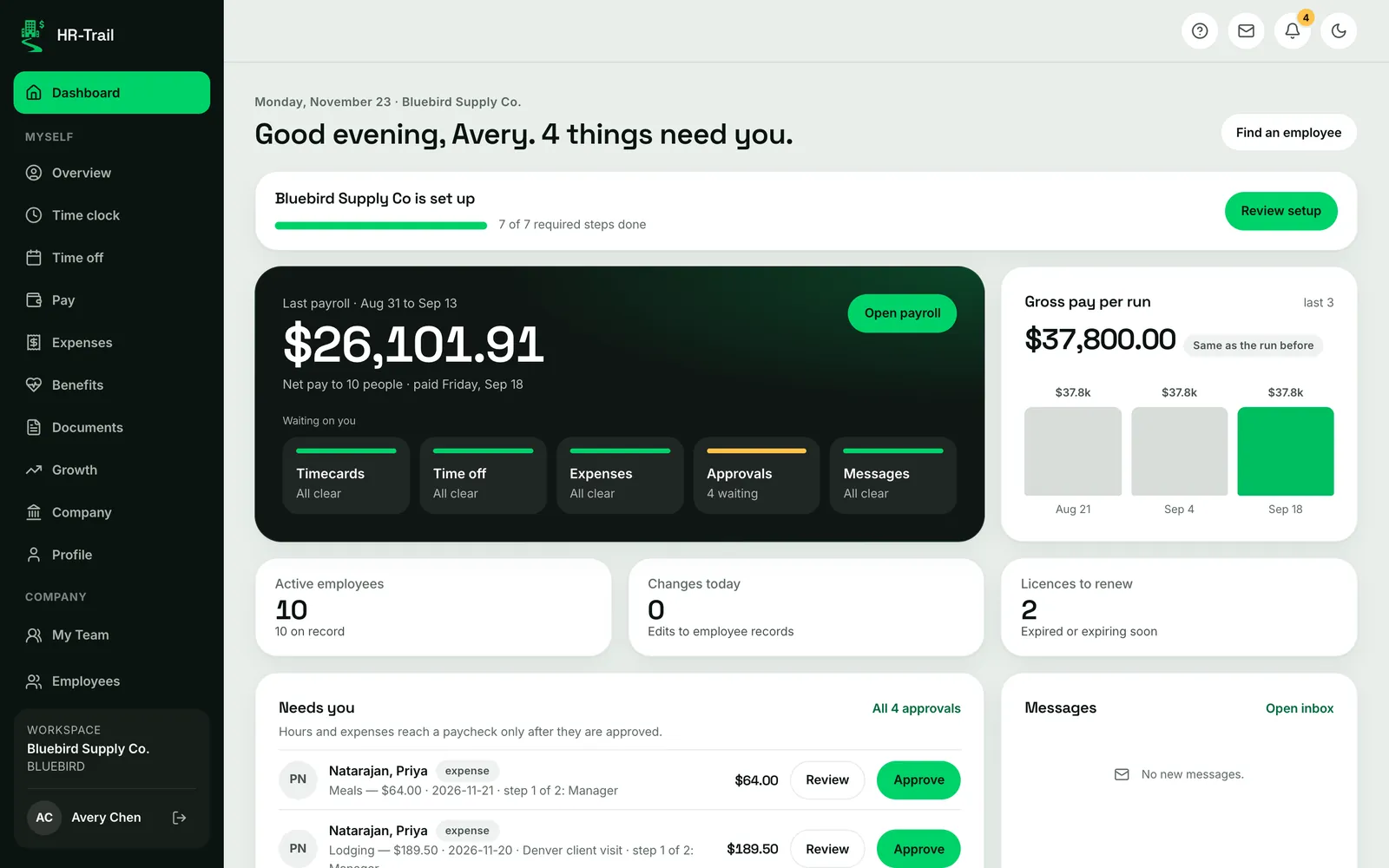
HR-Trail is HR and payroll software for small and mid-sized businesses. It keeps employee records, payroll, benefits enrollment, time tracking, expenses and reports in one system, so approved hours, benefit choices and expenses go straight into payroll.
What does HR-Trail include?
Six parts that share one login and one set of employee records.
HR and employee records
Employee records, onboarding, personnel changes and self-service, with an audit log.
See how it works: HR and employee recordsPayroll
Federal and state tax calculation, direct deposit files, pay stubs, Form 941 figures and W-2s.
See how it works: PayrollBenefits administration
Plans, rates, eligibility classes and guided online open enrollment.
See how it works: Benefits administrationTime tracking and time off
Web time clock, timecard approvals, time-off requests and accruals.
See how it works: Time tracking and time offExpense management
Receipts, expense reports, approval steps and repayment through payroll.
See how it works: Expense managementReporting
Payroll registers, headcount, time-off summaries and the audit log, with export.
See how it works: ReportingHow does work get from the time clock to the W-2?
With separate HR, payroll, time and expense tools, someone retypes data and checks totals every pay period. In HR-Trail each step feeds the next.
- Employees clock in, ask for time off, enroll in benefits and submit expenses in My HR.
- Managers approve timecards, time off and expenses from one list.
- Payroll picks up the approved hours, benefit deductions and repayments, then calculates taxes.
- Pay stubs, W-2s and reports come from those same records, so the totals agree.
What do employees see in My HR?
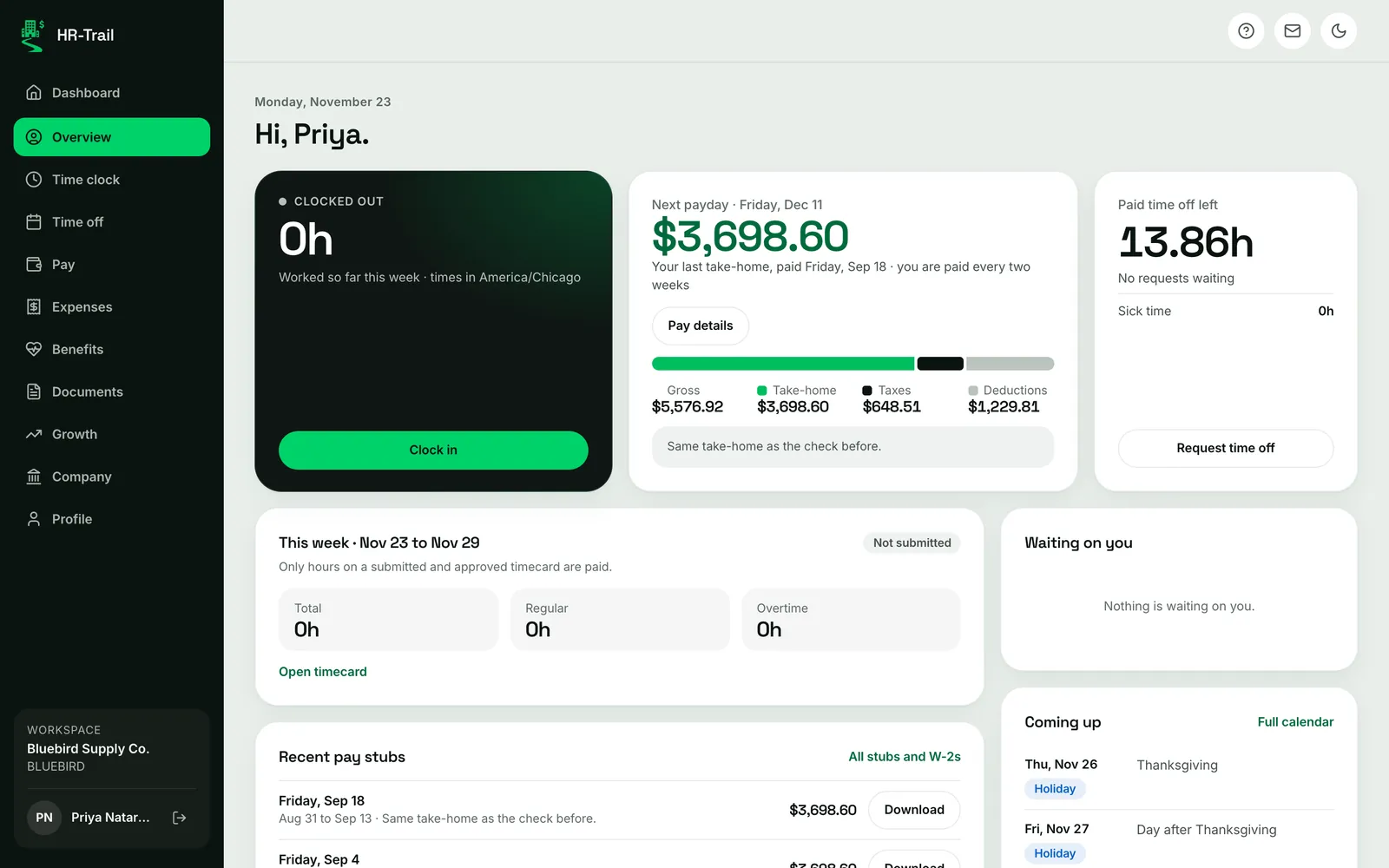
Every employee gets their own page for pay, time and benefits, so HR answers fewer questions.
- Clock in and out, and see this week’s hours
- Next payday, take-home pay and every pay stub
- Time-off balances, benefits and documents to sign
Why run HR and payroll in one system?
Ready-made settings for small teams
Expenses, approval steps and time-off rules start with a standard setup you can change, so you are running in days.
Self-service for employees and managers
Employees see pay stubs, balances and benefits. Managers decide requests from one list.
Access by role and a full audit log
Sign-in without passwords, access by role, encrypted bank details and a record of every change.
How HR-Trail protects dataWhat do people ask about HR-Trail?
What is HR-Trail?
HR-Trail is HR and payroll software for small and mid-sized businesses. It keeps employee records, payroll, benefits, time tracking, expenses and reports in one system.
Who is HR-Trail for?
Small and mid-sized US businesses that want HR, payroll, benefits, time and expenses in one system instead of separate tools that have to be kept in sync.
Who is HR-Trail not for?
Companies that want a provider to file payroll taxes and move the money for them, employers with staff outside the US, and businesses that need city or county income taxes calculated today.
Does HR-Trail replace separate payroll, time tracking and expense tools?
Yes. Approved timecards, time off, benefit elections and expense reimbursements all go into the same payroll run, so nothing is typed in twice.
Does HR-Trail file taxes or move money for me?
No. HR-Trail calculates payroll and produces the NACHA direct deposit file, Form 941 figures and W-2s. You upload the file to your bank and file with the agencies, so money stays in your own account.
How much does HR-Trail cost?
HR-Trail is priced by quote, based on how many employees you have and which parts you use. Ask through the quote form on the pricing page with your headcount and the states you pay in to get a monthly price.
How do people sign in?
With Google, Microsoft or a one-time email link. There are no HR-Trail passwords to manage, and each person sees only what their role allows.
How do you get started with HR-Trail?
Ask for a quote for your company. If your company already uses HR-Trail, sign in.