Expense management software for SMBs
Expense management software is how employees claim money they spent for work, and how the company checks, approves and repays it.
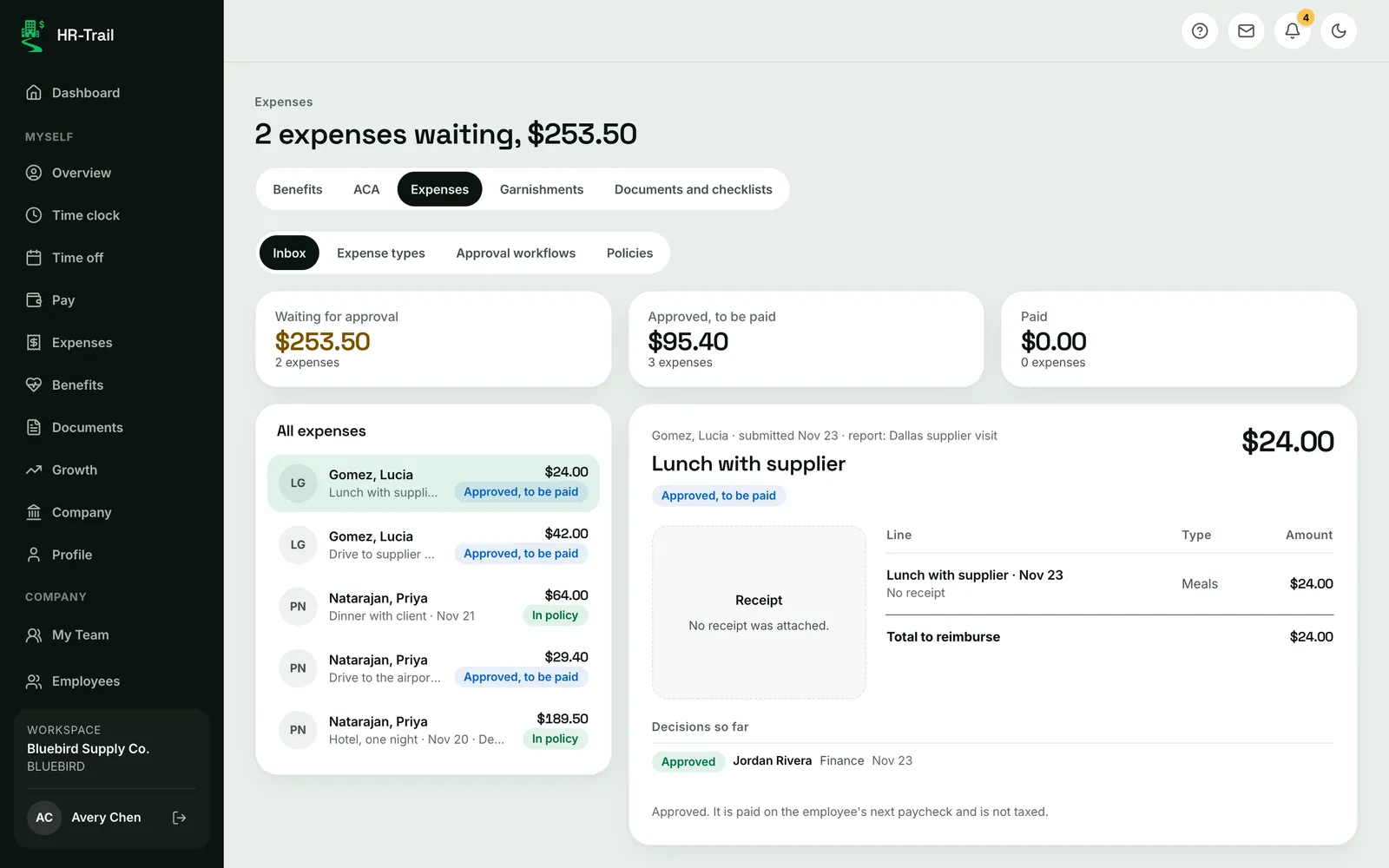
In HR-Trail employees add expenses and receipts, group them into reports and submit them. Your approval steps route each one, and approved expenses are repaid on the next payroll without tax.
 By Gurmeet Singh, founder of HR-TrailUpdated
Is there anything to set up?
The first time anyone opens Expenses, HR-Trail creates a standard setup: common expense types, a manager-then-finance approval and a default monthly limit. You can change all of it.
- Expense types and policies for groups of employees
- Monthly limits
- A receipt on each expense
Can employees group expenses into a report?
An employee can save an expense as a draft with only a type, a date and an amount, then group drafts into a report, such as a trip, and submit it together.
- Every expense is checked before anything is submitted
- Drafts are private to the employee
- Approvers see the report name on each expense
Who approves an expense?
Approval steps run in order. A step can be the manager, a second manager, a role such as Finance, or a named person, with an optional dollar limit.
- Nobody approves their own expense
- A step with nobody to approve it is skipped
- The employee gets an email when an expense is approved or denied
How are employees repaid?
Approved expenses are added to the next payroll run without tax and marked paid when the run is processed.
- No separate repayment process
- Voiding a run puts the expenses back in the queue
- Expense activity shows in reports
Which guides cover this?
- Employee expense reimbursement rules: Accountable plan rules, the 60 and 120 day limits, and what to collect.
What do people ask about expense management?
How are employees reimbursed?
Approved expenses are added to the employee’s next paycheck as a reimbursement without tax, and marked paid when payroll is processed.
Can I set approval rules for expenses?
Yes. Approval steps run in order. Each step can be the employee’s manager, a second manager, a role such as Finance or a named person, with an optional dollar limit.
Can employees group expenses for a trip?
Yes. Employees save expenses as drafts and group them into a named expense report that is submitted together.
Which rules does this follow?
What works together with expense management?
HR and employee records
Employee records, onboarding, personnel changes and self-service, with an audit log.
See how it works: HR and employee recordsPayroll
Federal and state tax calculation, direct deposit files, pay stubs, Form 941 figures and W-2s.
See how it works: PayrollBenefits administration
Plans, rates, eligibility classes and guided online open enrollment.
See how it works: Benefits administrationTime tracking and time off
Web time clock, timecard approvals, time-off requests and accruals.
See how it works: Time tracking and time offReporting
Payroll registers, headcount, time-off summaries and the audit log, with export.
See how it works: ReportingHow do you get started with HR-Trail?
Ask for a quote for your company. If your company already uses HR-Trail, sign in.